
Note: Please use compressed air according to bottle instructions. Do not spray longer than what is recommended on the bottle. Never spray compressed air upside down.
This is usually only needed if the device has erratic or unusually high PM10 readings. Please contact Clarity Support if you have any questions.
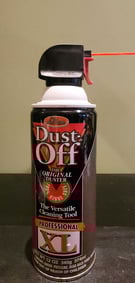
Equipment needed:
- Compressed air
- Remove the inlet tube cap.
- Insert the compressed air tube into the top of the inlet tube and pull the trigger for approximately 2 seconds.
- Inspect the screen on the inlet tube cap.
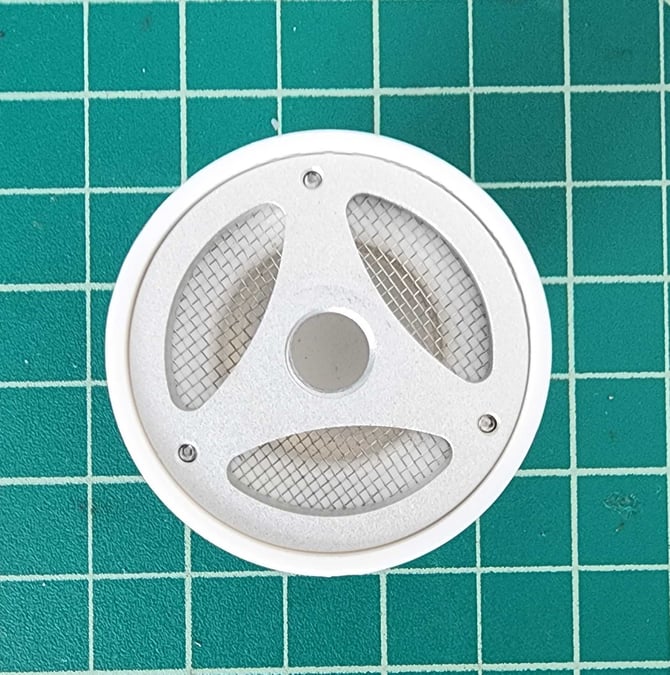
- If there is debris or spider webs on the screen, remove them with a soft toothbrush, or wash it lightly with water and dry it.
- Replace the inlet tube cap.
- Wait at least 2 sleep time periods (up to 30 minutes depending on your device’s sampling rate), then check the PM10 data from the Clarity dashboard.
- You can adjust the output frequency to see individual measurements in your dashboard by following these steps.
- If the sensor is operating normally, the procedure is complete.
- If the occlusion still appears to be in place, repeat the compressed air sequence up to 2 additional times, allowing 2 sleep time periods between each attempt to verify results.
- If three rounds of compressed air do not clear the occlusion, contact support@clarity.io to discuss return and repair options.